


Plaud: AI Note Taker
4.51.03K Reviews
App Specs
- Version
- 3.28.0
- Updated On
- License
- Free
- Downloads
- 500,000+
- Developer
- PLAUD LLC
- Categories
- Tools
- Platform
- Android
Screenshots
 Analysis by AppCompare
I judge a note-taking app by what happens after the conversation ends: can I find the useful points, understand them quickly, and turn them into something I can act on? Plaud: AI Note Taker is built around that handoff from spoken words to written notes. Its appeal is straightforward: use AI transcription and summaries to make recordings easier to review, rather than relying on memory or trying to write everything down while someone is talking.
What the free access does—and does not—settle
This is a free tools app from PLAUD LLC, with in-app purchases listed from $2.99 to $239.99 per item. That gives you a useful starting point without an upfront app price, but the range alone does not explain what a particular purchase includes or which option would suit your workload. I would check the current in-app purchase details before building a routine around features that may require payment. The practical question is not simply whether the download costs nothing, but whether the free access covers the amount of transcription and review you expect to do.
The app has a 4.8 average from around 8,200 ratings, and has passed 100,000 installs. Those figures suggest that it has found an audience, but they cannot tell me whether its transcription will handle my own speakers, terminology, or recording conditions well. I would treat them as context rather than a promise of accuracy for every situation.
Streamline Your Note-Taking
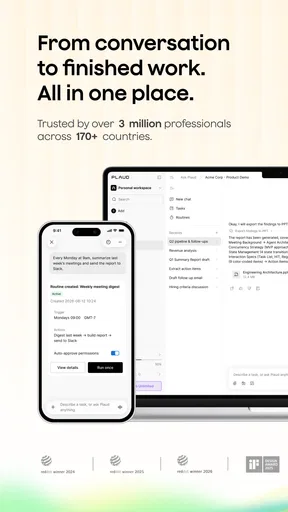
Right from the get-go, Plaud makes a solid impression. It’s designed to help you capture your thoughts, ideas, and important points effortlessly. Whether you’re in a meeting, attending a lecture, or just brainstorming, this app’s got your back. The interface is clean and intuitive, so you won’t be spending ages trying to figure out how to use it. I mean, who has time for that, right?
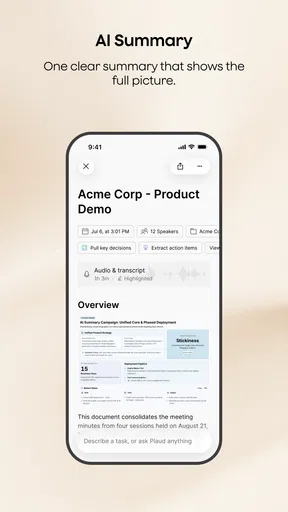
The magic lies in its AI-powered capability. As you speak, the app transcribes your words into text. It’s like talking to a really smart friend who remembers everything. You can even organize your notes into different categories, making it easy to find exactly what you’re looking for later on. No more endless scrolling through your phone!
Make the transcript useful, not just long
Transcription is most valuable when I treat it as a first draft, not a finished record. A useful workflow is to capture a discussion, review the text while the subject is still fresh, and then make a short summary of decisions and next steps. That final pass matters: speech-to-text can preserve the flow of a conversation, but it cannot decide which point is the commitment, which is a possibility, and which was only background.
For a team meeting, I would use the transcript to locate the part where a deadline or responsibility was discussed, then check that passage before sharing a concise recap. For a lecture, I would revisit a difficult explanation and turn the summary into prompts for later study rather than trying to memorize a wall of text. In both cases, the time saving comes from reducing the need to capture every sentence by hand, while the human review keeps the record dependable.
Worth Reading Before You Choose

EA SPORTS FC Mobile 26 Is a Bigger Football Game, but It Takes Time

Flipboard Shows What News Apps Must Do Beyond the Feed

Switching to Android Auto Means Rethinking Your Driving Routine

Google Calendar Makes a Crowded Week Easier to Manage

Ludo King Makes the Most of the Minutes Between Plans

Baby Panda World Brings Quick Play to Modern Phones, but Its Game Library Feels Busy
There is a trade-off here that is easy to miss: a transcript can feel more authoritative than handwritten notes because it looks complete. I would still verify names, numbers, technical terms, and any wording that could change the meaning of an agreement. If the conversation is sensitive or the exact phrasing matters, the transcript should support careful checking, not replace it.
Features That Stand Out
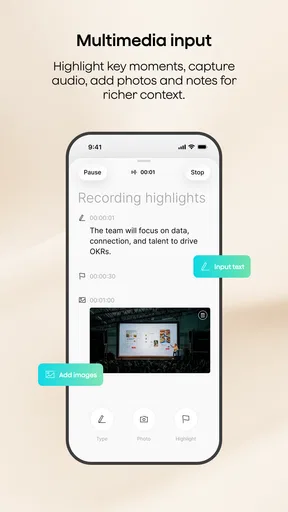
One of the coolest features is the ability to tag important sections of your notes. This means if there’s something crucial you want to revisit, you can easily mark it for later. The app also supports multiple languages, which is a lifesaver for those of us who dabble in more than one language or attend international meetings. It’s like having a multilingual assistant!
Tags are particularly helpful when I decide what I need from a recording before I start reviewing it. For example, I might mark a decision, a question to follow up, or a point that needs checking. That gives me a simple route back into a long note instead of rereading everything from the top. The tip is to use a small, consistent set of labels; tagging every interesting sentence can create another layer of clutter rather than making retrieval easier.
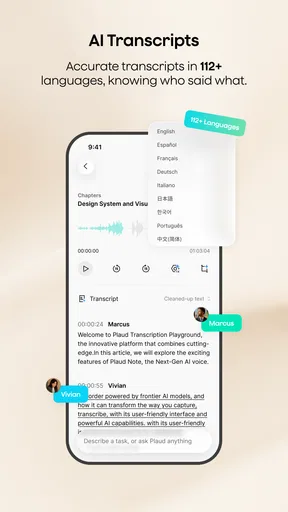
Multiple-language support can make the app more appealing for multilingual work, but I would not assume that switching languages removes the need to proofread. Accents, people talking over one another, unfamiliar names, and specialist vocabulary are all situations where a transcript deserves extra attention. If a meeting moves between languages, I would check the resulting text especially carefully before relying on it as a shared record.
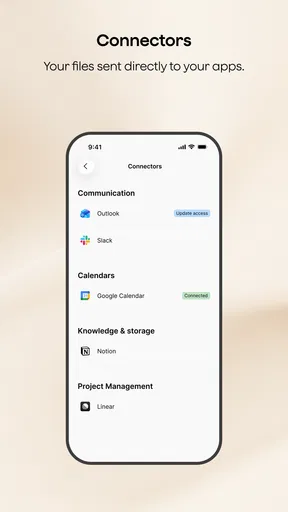
Now, let’s talk about the sharing options. You can seamlessly share your notes with colleagues or friends via email or directly export them to other apps. It’s perfect for collaboration or just keeping everyone in the loop. Plus, the app offers cloud sync, ensuring that your notes are safe and accessible from any device. It’s like having a tiny little cloud following you around, holding all your important stuff.
Where it fits among other note-taking choices
Compared with typing notes into a standard notes app, the main advantage here is the emphasis on turning speech into text and summaries. A basic notes app can be quicker for a short reminder, a shopping list, or a thought that takes a few seconds to type. It also gives you direct control over every word. Plaud makes more sense when there is enough spoken material that trying to write it all down would distract you from listening.
It is also different from a manual voice memo. A memo preserves audio for later, while AI transcription and summaries are meant to make spoken material easier to scan and revisit. That convenience does not mean every user should replace their existing method. If you only record occasionally and do not mind listening back, a simple recorder may be all you need. If you already take careful typed minutes, this app is useful only if its transcript-and-summary approach actually saves you time after the meeting.
For a practical everyday example, imagine leaving a project discussion with several possible tasks and no clear memory of who volunteered for what. Instead of dividing your attention between listening and typing, you can focus on the conversation, then use the transcript to check the details and the summary to shape a follow-up note. I would still confirm ownership and deadlines with the people involved before treating that note as the final plan. This is a better fit for organizing a conversation than for making the decision on your behalf.
Good fit, with a few reasons to pause
Plaud does a fantastic job of simplifying the note-taking process. It’s like having a personal secretary who never takes a day off. The AI transcription is surprisingly accurate, and the organizational features are spot on. You’ll never miss a beat again, whether you’re jotting down quick reminders or recording detailed meeting notes.
One thing I’ve noticed is how much time it saves. Instead of scribbling down notes and trying to decipher them later, you have everything neatly typed out and ready to go. It’s a game changer for anyone who’s constantly on the move or juggling multiple projects at once.
I see the strongest value for people who regularly attend discussions, interviews, classes, or planning sessions and need a written record they can revisit. It is less compelling for someone who takes only a few short notes a day, prefers handwriting, or needs a polished, verified account without doing any review. People who work with confidential conversations should also decide whether recording and sharing those notes is appropriate before relying on an app-based workflow.
One useful habit is to decide the purpose of a recording before opening the app: do I need a searchable record, a summary for myself, or a recap to send to someone else? That choice helps me review only what matters and keeps the summary from becoming a substitute for clear follow-up. I would also make a quick check of a note before sharing it, especially if it contains names, decisions, or action items.
The app is rated for Everyone, and the listed current version is 3.11.0, with Android 7.0 as the minimum OS. Those details make it easier to judge basic compatibility, but they do not determine whether the workflow is right for you. I would think first about how often I have spoken material worth keeping, then compare that with the cost of any in-app purchase I might need. A free download is useful, but the value depends on whether it fits the way I actually work.
Final Thoughts
So, if you’re looking for an app that’s going to take your productivity to the next level, give Plaud: AI Note Taker a spin. It’s user-friendly, reliable, and packed with features that make your life a whole lot easier. Plus, it’s available for both Android and iOS, so no one’s left out of the fun.
In a world where time is money, having an app like Plaud is a no-brainer. It keeps your notes organized, your thoughts clear, and your stress levels low. So go ahead, give it a whirl, and see how it transforms the way you work and live. You won’t regret it!
My recommendation comes with one practical condition: try it on the kind of conversation you actually need to remember, then judge the transcript and summary by how much useful review they save you. If the result needs substantial correction every time, or if you rarely capture spoken material, a regular notes app or voice memo may be the simpler choice. If you often leave meetings wishing you had a better record, the combination of transcription, summaries, and tags is a more purposeful alternative to relying on memory alone.
Pros
- Automates note-taking efficiently.
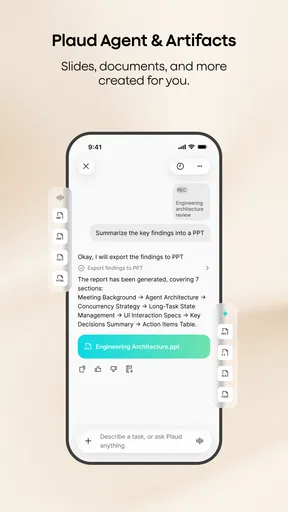
- Integrates with major productivity apps.
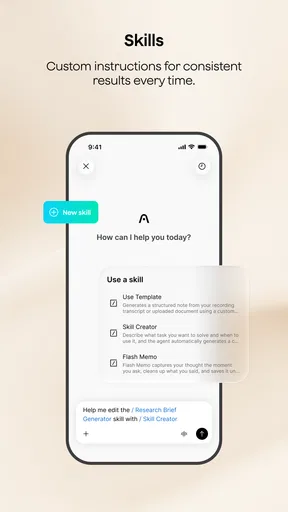
- Highly customizable settings.
- Offers real-time transcription.
- Supports multiple languages.
Cons
- Limited offline functionality.
- Premium features are costly.
- Occasional transcription errors.
- Requires stable internet connection.
- Limited export formats available.
FAQs for Plaud: AI Note Taker
What is Plaud: AI Note Taker and how does it work?
Plaud: AI Note Taker is an innovative application designed to enhance productivity by automatically transcribing spoken words into text. It uses advanced AI algorithms to accurately capture and organize your notes during meetings or lectures. The app integrates seamlessly with various platforms, allowing users to sync their notes across devices for easy access.
Is Plaud: AI Note Taker compatible with my device?
Plaud is available for both Android and iOS devices. It requires Android version 8.0 and up or iOS 12.0 and later. Before downloading, ensure your device meets these system requirements to enjoy a smooth and optimal experience. Regular updates further enhance compatibility and performance across different devices.
How secure is my data with Plaud: AI Note Taker?
Security is a top priority for Plaud. The app employs encryption protocols to protect your data both during transcription and storage. Users can also set up biometric authentication or passcodes for added security. Regular updates are provided to address any potential vulnerabilities, ensuring your information remains confidential.
Does Plaud support multiple languages for transcription?
Yes, Plaud supports a variety of languages, making it a versatile tool for users worldwide. While the app primarily focuses on English, it can transcribe several other major languages. Users can choose their preferred language within the app settings, enabling accurate and efficient note-taking in multilingual environments.
Are there any subscription fees or in-app purchases with Plaud?
Plaud offers a freemium model where users can access basic features at no cost. For advanced functionalities, such as unlimited transcriptions and cloud storage, a subscription is required. Various plans are available to cater to different needs, ensuring flexibility and value for both casual and professional users.


